


OneDrama - Short Dramas & TV
Dovi Tools
I spent time with OneDrama - Short Dramas & TV as a quick entertainment app, and my first impression was clear: it is built for people who want a story to begin immediately, develop in small pieces, and fit into spare moments. That makes it different from opening a traditional streaming service with the intention of watching a full episode or settling in for a long film. Here, the appeal is the short-form rhythm.
The app comes from Dovi Tools and sits in the entertainment category. It is free to install, although individual in-app items cost $9.99, so I would approach it as a sample-first experience rather than assuming every part of the catalog is included. Its Teen content rating also matters, especially if you are choosing entertainment for a younger household member. I would not treat that label as a substitute for checking the actual content together.
OneDrama has attracted more than a million installs, but its average score is 3.1 from roughly fourteen thousand ratings. That combination tells me the app has found a substantial audience while still producing a mixed experience. I always take that kind of score seriously: it does not automatically make an app poor, but it suggests that convenience, content access, advertising, payments, or reliability may not work equally well for everyone.
How the short-drama format feels in everyday use
A good fit for small gaps in the day
The strongest use case is the awkward ten-minute gap. I can imagine opening OneDrama while waiting for an appointment, taking a break between tasks, or winding down before bed without committing to a conventional television episode. The short-drama format gives each visit a low entry cost. You do not need to remember a large amount of plot before pressing play, and the next piece of a story is easier to fit around a busy schedule.
That convenience changes how I judge the app. I am less interested in whether it replaces a major streaming platform and more interested in whether it makes a brief break feel worthwhile. If you enjoy cliffhangers, compact emotional scenes, and serial storytelling that keeps nudging you toward the next part, the format can be surprisingly effective.
Related News

Why WhatsApp Messenger Still Makes Everyday Communication Feel Easy

Jurassic World: The Game Is the Better Dino Tycoon for Strategic Players

Threads in Real Life: Who Should Join, Lurk, or Leave

How SHEIN Turned Shopping Into an Endless Content Feed

How to Make Fortnite Feel Smarter on Mobile

Should You Switch to Microsoft Outlook on Mobile?
There is also a trade-off. Short episodes can make a story feel fast and immediately engaging, but they may leave less room for patient character development. A scene that would normally breathe across a longer television episode can feel compressed when divided into small installments. I found that this style works best when I want momentum, not when I am looking for carefully paced drama with a large cast and a slow-building plot.
Why it is not simply another TV app
Traditional streaming services are usually organized around films, full episodes, seasons, and larger viewing sessions. OneDrama is more suitable for serial discovery in short bursts. That makes it closer to a digital reading habit than to a classic evening of television: start a segment, reach a turning point, and return later when you have another moment.
I would choose a conventional service instead when I want dependable long-form viewing, broad control over a complete season, or a shared family movie night. I would choose this app when the main question is, “What can I watch right now without giving up the rest of my evening?” That distinction is more useful than calling one option better than the other.
Gallery
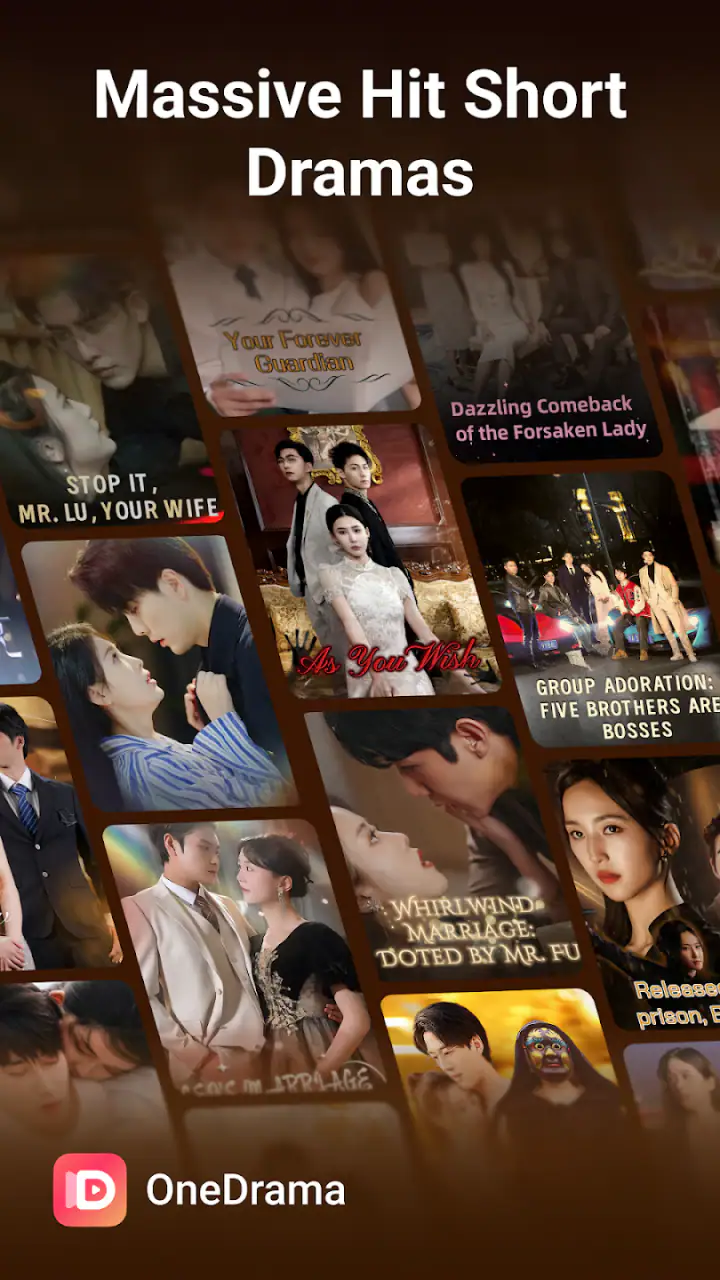
A practical tip is to decide your stopping point before you begin. Short installments are designed to make continuation feel natural, and a quick break can easily become a longer session. I found it more satisfying to treat each visit as a small entertainment block rather than assuming I would watch only one piece.
What the rating and age label mean for a decision
The Teen rating is an important part of the choice. I would be comfortable considering the app for older teenagers only after checking what they are actually watching, but I would not install it as an unrestricted children’s entertainment option. Short format does not automatically mean mild content. Drama can still involve mature themes, intense conflict, or situations that are unsuitable for younger viewers.
The mixed 3.1 average also changes my recommendation. I would suggest trying the free access before spending anything. That lets you judge whether the storytelling style, presentation, and viewing flow suit you personally. A high install count can show reach, but it cannot tell me whether the specific experience will feel smooth on my device or worth paying for.
Trust begins with visible choices
For an entertainment app that encourages repeated viewing, I pay attention to the choices presented on screen. I want to know when an action starts playback, when it moves toward an in-app purchase, and whether I can leave a screen without accidentally continuing. My advice is simple: slow down at every payment prompt and read the wording instead of tapping through automatically.
The presence of $9.99 individual purchases makes that habit especially important. The price is not a minor detail if the app presents several possible unlocks during a browsing session. I would decide in advance whether I am willing to pay for a particular story, then compare that decision with the amount of content I expect to watch. A single purchase can feel reasonable, while several separate purchases can change the overall value quickly.
I also prefer to keep entertainment spending separate from impulse browsing. If you are sharing a device, review the store’s purchase authentication settings and make sure the person using the phone understands that free installation does not mean every item inside the app is free. That is a useful safeguard for families and anyone who lends a device to someone else.
Account and device habits worth checking
Before using any app regularly, I look for account-related screens, sign-in choices, notification controls, and any way to manage the viewing experience. I do not assume that a feature exists simply because similar services offer it. Instead, I check what OneDrama visibly presents and use only the controls available there.
That approach is particularly helpful when an app is used casually. If you do not want entertainment reminders interrupting work, inspect notification settings during setup or in the phone’s system settings. If you share a phone or tablet, check whether the app opens into the same viewing state for everyone. If you are changing devices, do not assume that progress will transfer unless the app clearly gives you an account or synchronization option.
These are small checks, but they protect user agency. I would rather spend a minute understanding how an app behaves than discover later that a teenager can reach purchase prompts, that notifications are too frequent, or that a viewing habit is harder to control than expected.
Data-sensitive moments deserve attention
Entertainment apps can feel harmless because their purpose is simply watching stories, yet the moments around installation, sign-in, permissions, payments, and notifications still deserve care. I recommend reading the permission prompts when they appear and granting only what makes sense for the action you want to perform. If a request does not seem connected to watching short dramas, pause and decide whether you are comfortable continuing.
I would also avoid entering unnecessary personal details just to browse. Use the least information needed for the function you actually want, and review any account or privacy choices that are shown during registration. The important point is not to make assumptions about OneDrama’s practices; it is to keep control over the choices the app visibly places in front of you.
Payment is the most sensitive moment for me. Because purchases are sold individually, I would confirm the item, the final amount, and the account being charged before approving anything. On a shared device, purchase authentication is more important than convenience. I would not hand the phone to a child or guest while a purchase screen is open.
Another useful habit is to check whether notifications are genuinely helpful. A reminder about a story you are following may be welcome, but repeated interruptions can make a relaxing app feel demanding. If the alerts do not add value, turn them off at the system level. That gives you a simple way to keep the app in its proper place instead of letting it dictate when you return.
What I would test before committing
I would begin with a short, deliberate trial. First, I would browse without buying anything and see how quickly I can understand the available stories. Then I would watch enough of one title to decide whether the pacing works for me. Finally, I would inspect the point at which the app asks for payment, noting whether the purchase feels like a clear choice or an interruption to the story.
This workflow reveals more than a store summary. It tests whether the app’s central loop suits your habits, whether the free portion gives you a fair impression, and whether the payment boundary is easy to understand. It also prevents a common mistake: paying because a cliffhanger creates urgency before deciding whether the series is actually enjoyable.
I would repeat the same test on the device that will be used most often. A short-drama app depends heavily on quick access and comfortable viewing, so the experience can feel different on a small phone compared with a larger screen. I would also check how easy it is to stop playback, return to browsing, and continue later. Those small interactions matter when the entire promise is convenience.
Who will enjoy it most
OneDrama is best suited to viewers who like serialized drama but rarely have time for a full episode. It should appeal to people who enjoy emotional hooks, rapid developments, and the feeling of discovering a story one compact segment at a time. It may also work for commuters or busy users who prefer several short sessions over one long viewing block.
I can also see value for someone who gets bored while browsing large streaming catalogs. A focused short-drama app reduces the distance between opening the app and starting a story. That does not guarantee better content, but it can make the decision easier when you want entertainment rather than another long search.
On the other hand, I would skip it if your priority is a large, dependable library of complete television seasons, detailed parental management, or a viewing experience with no purchase friction. I would also be cautious if you dislike cliffhangers or feel that short episodes make drama too compressed. In those cases, a conventional streaming service may be the better match.
Device support and the current build
The app supports devices running Android 8.0 or later, which gives it a fairly broad place among Android phones that are still in regular use. I would still check the available storage, system settings, and account configuration before installing, especially on an older phone. Compatibility is only the starting point; comfort, loading behavior, and battery impact are what determine whether an entertainment app becomes part of a daily routine.
The current version is 1.2.35. When an app is updated, I like to revisit notification preferences, purchase settings, and account controls rather than assuming everything remained exactly as I left it. That is a good general practice for any app that mixes free viewing with paid items. It also helps you notice changes in the interface before they affect how you browse or spend.
My cautious verdict
I see OneDrama - Short Dramas & TV as a specialized entertainment choice, not a universal replacement for television streaming. Its short-form structure is genuinely useful when I have only a few minutes and want a story with immediate momentum. The free entry point makes it reasonable to explore, while the Teen rating and individual purchase model mean I would use it with attention rather than treating it as a completely casual children’s app.
My recommendation is to try it without rushing into purchases. Check the story flow, watch for the payment boundary, review notifications and visible account choices, and decide whether the short installments fit your routine. The best reason to use it is controlled, bite-sized viewing—not the promise of replacing every other entertainment service.
For me, the mixed rating is a reason to stay practical. Some viewers will appreciate the quick serial format, while others will find the pacing or purchase structure frustrating. If you enjoy short dramas and are willing to manage your own viewing and spending choices, OneDrama is worth testing. If you want long-form reliability, extensive family controls, or a straightforward all-in-one subscription experience, I would look elsewhere.
Dovi Tools has made an app with a clear niche, and that niche can fit neatly into everyday downtime. I would keep my expectations measured, protect my payment controls, and judge the experience after trying the actual viewing flow. Used that way, it can be a convenient source of brief dramatic entertainment without becoming an automatic commitment.
FAQs for OneDrama - Short Dramas & TV
What is OneDrama - Short Dramas & TV?
OneDrama - Short Dramas & TV is a mobile streaming app focused on short-form drama series and compact TV-style stories. Episodes are designed to be watched quickly, making the app convenient for users who enjoy romance, suspense, family conflicts, and other dramatic plots without committing to a full-length movie or traditional television episode.
Is OneDrama - Short Dramas & TV free to download and use?
The app may be available to download at no initial cost, but access to all episodes or premium content can depend on the app’s current subscription, coin, advertising, or in-app purchase system. Before watching extensively, users should review the pricing details shown in the app store and inside the application, since availability and payment requirements may change.
Does OneDrama require an account or internet connection?
OneDrama may allow users to browse some content before signing in, although an account can be required for saving progress, synchronizing viewing history, or accessing premium episodes. A stable internet connection is generally necessary for streaming. Users should also check whether the app offers downloads for offline viewing, because this feature may be limited by title, region, or subscription level.
What kind of dramas and languages are available on OneDrama?
The catalog is mainly aimed at viewers who enjoy short, fast-moving dramatic stories, including romance, relationship conflicts, revenge plots, family tension, and suspense. The exact selection can vary by country and over time. Many titles may include subtitles or dubbed audio, but users should check each show’s information page to confirm the available language and subtitle options.
Is OneDrama safe to install, and what permissions should I expect?
OneDrama should be downloaded from an official Android or iOS store to reduce the risk of installing an altered or unsafe version. During setup, review the permissions requested by the app and only grant access that seems necessary for streaming and account features. It is also wise to read the privacy policy, especially if the app collects viewing activity, device information, or payment-related data.
Pros
- Large catalog of short dramas designed for quick viewing sessions.
- Personalized recommendations help surface shows matching your interests.
- Episodes are easy to stream on phones with a simple
- mobile-friendly interface.
- Frequent content updates can keep the library feeling fresh.
- Many stories use cliffhangers that make it easy to continue watching.
Cons
- Some episodes or series may require coins
- subscriptions
- or extra purchases.
- Heavy use of dramatic twists may feel repetitive after extended viewing.
- Video streaming can consume significant mobile data without Wi-Fi.
- Availability of titles and features may vary by country or device.
- Ads or promotional prompts can interrupt the viewing experience.


